




Updated on September 25, 2025 by David Korpel

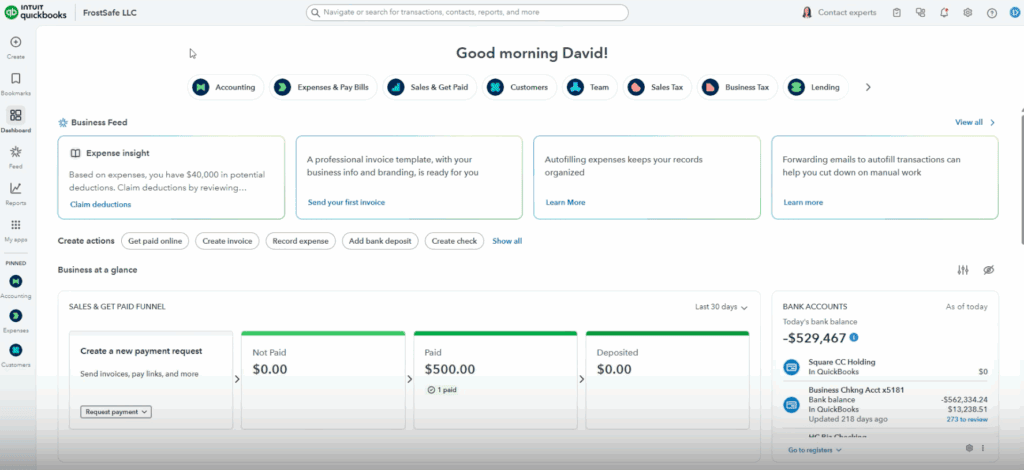
Change is always a little unsettling—especially when it comes to managing your books. If you’ve logged into QuickBooks lately, you may have noticed a fresh new look. For many business owners and bookkeepers, any software redesign can trigger concern: Will my regular tasks get more complicated? How long will it take to learn the new layout? What’s hidden behind those new buttons?
Let’s set those worries aside! QuickBooks’ new interface is designed to be friendlier, clearer, and even more efficient for everyday users. The most important features are still right at your fingertips—they’re just organized to help you find things faster and get more done with fewer clicks. In fact, this update is all about making your workflow simpler.
In the video below, I’ll walk you through the key changes, showing you exactly what’s new and how it benefits you. From navigation tips to feature highlights, you’ll see that there’s nothing scary or intimidating here—just some thoughtful upgrades to help you manage your books with confidence. Whether you’re a seasoned user or just getting started, you’ll be able to hit the ground running.
Watch the video below to see the new QuickBooks interface in action.